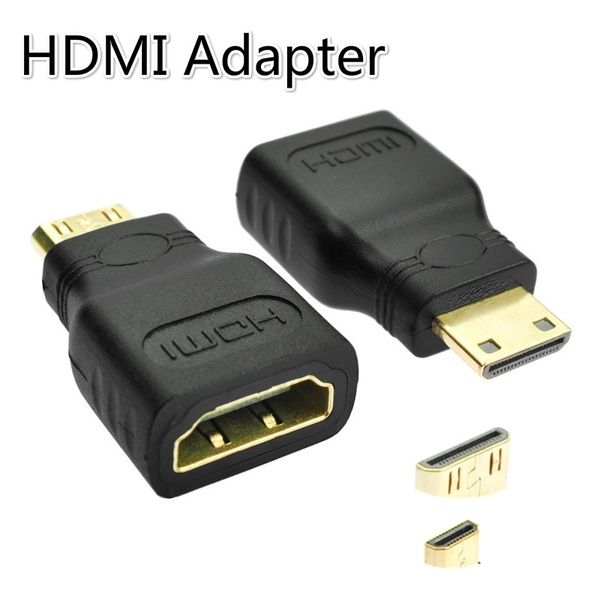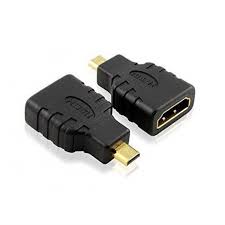
Micro HDMI (TypeD) male to HDMI (Type A) female
Ahh nice — you’re talking about the Micro HDMI (Type-D) male → HDMI (Type-A) female adapter/cable — the tiny-to-standard HDMI lifesaver for boards like Raspberry Pi, cameras, and tablets 😄📺
Let’s break it down clean and practical 👇
🔌 Micro HDMI (Type-D) Male → HDMI (Type-A) Female
📦 Description
This adapter/cable converts a Micro HDMI (Type-D) port into a standard full-size HDMI (Type-A) port, allowing you to connect your device to:
TVs 📺
Monitors 🖥️
Projectors 🎥
Capture cards
Regular HDMI cables
It’s commonly used with Raspberry Pi 4/5, cameras, DSLRs, tablets, and mini PCs.
Think of it like:
Tiny port → normal HDMI cable
Super handy in labs and embedded projects 👍
⚙️ Physical Connector Types
Side Type Pins Use
Male Micro HDMI (Type-D) 19-pin Device side
Female Standard HDMI (Type-A) 19-pin Regular HDMI cable
Both carry the same signals, just different sizes.
📊 Typical Specifications
🔌 Electrical
Interface: HDMI 19-pin standard
Plug-and-Play: Yes (no drivers needed)
Power: Passive (no external power required)
🎥 Video & Audio Support
Resolution: Up to 4K @ 30/60 Hz (depends on version)
Supports:
✅ 480p / 720p / 1080p / 4K
✅ 3D video
✅ Audio + Video
✅ HDCP
✅ CEC
✅ Ethernet (HEC, if cable supports)
📡 HDMI Versions (depends on model)
HDMI 1.4 → 1080p/4K@30
HDMI 2.0 → 4K@60
HDMI 2.1 → higher bandwidth (rare in small adapters)
🧱 Mechanical
Cable length (if cable type): 10–30 cm typical
Adapter size: ~20–30 mm body
Gold-plated contacts (common)
Shielded wiring to reduce EMI
🧠 How It Works
It’s purely passive wiring:
Micro HDMI pins → Directly mapped → Standard HDMI pins
No signal conversion.
Just size conversion, so quality stays perfect.
🔧 Common Applications
🛠 Electronics & Embedded (your zone 😄)
Raspberry Pi 4/5 displays
Jetson Nano
SBC debugging
FPGA dev boards
Portable test monitors
📷 Media
DSLR/mirrorless cameras → monitor
Action cams → TV
Tablets → projector
🔌 Example Use (Raspberry Pi 4)
Pi Micro HDMI → Adapter → Standard HDMI cable → Monitor
Works instantly. No config needed (usually auto-detects display).
💡 Pro Tips (from experience)
✨ Use short adapter or short cable → reduces signal loss
✨ Avoid cheap thin cables for 4K → use High-Speed/2.0 rated
✨ Don’t stress the tiny port → use flexible cable to avoid damage
✨ For lab setups, cable-type is safer than rigid adapter
Micro HDMI ports are delicate — treat gently 👍
No specifications available.
0.0
Based on 0 reviews
No reviews yet. Be the first to review this product!
Login to write a review.
Related Products