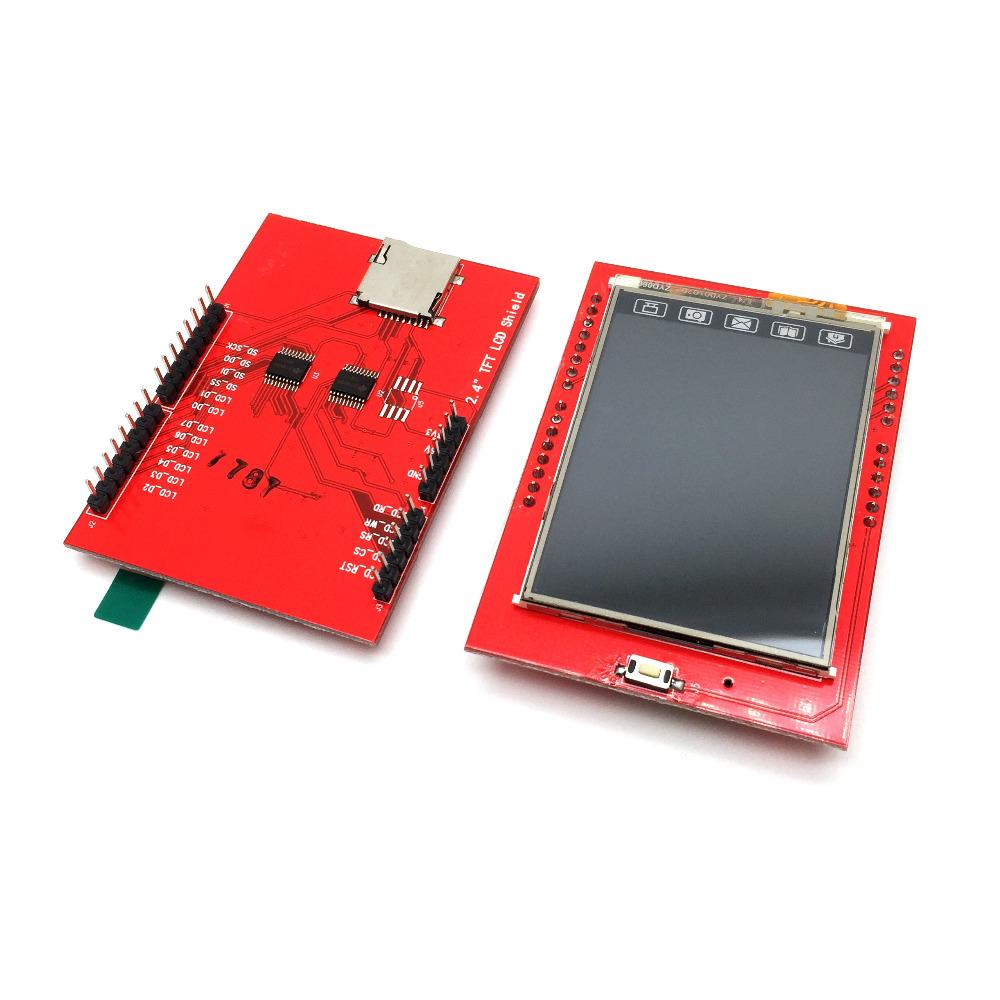
2.4" TFT LCD Shield
2.4-inch TFT LCD display (color, usually 240×320 pixels)
SPI or 8/16-bit parallel interface
Microcontroller-friendly pins (usually plugs directly onto Arduino Uno/MEGA)
Optional: Touchscreen panel
Optional: MicroSD card slot for storing images or fonts
Often comes with backlight LED
It’s designed to stack on top of Arduino (shield form factor), making wiring minimal and plug-and-play.
✨ Key Features
✅ 2.4-inch color TFT LCD
✅ Resolution: typically 240×320 pixels
✅ 16-bit or 8-bit parallel interface (sometimes SPI for faster/more flexible control)
✅ Often includes resistive touchscreen
✅ Arduino shield format (stackable)
✅ Backlight LED included
✅ Optional MicroSD slot for storing graphics/fonts
📊 Electrical Specifications (typical)
Parameter Value
Display type TFT LCD, 2.4" diagonal
Resolution 240 × 320 pixels
Interface 8-bit parallel / 16-bit / SPI
Voltage 5 V logic compatible (some tolerate 3.3 V)
Current ~100–250 mA (with backlight on)
Touchscreen Resistive (optional)
Backlight LED, usually 3.3 V–5 V
Operating temp 0 °C – 50 °C (typical)
Dimensions ~65 mm × 53 mm (fits Arduino Uno)
🔌 Pin Configuration (Common Arduino Shield)
Digital Pins: D2–D13 → data/control pins
Analog Pins: A0–A5 → sometimes for touchscreen
Power: 5 V / GND → powers the screen & backlight
Optional CS, DC, RST pins → for SPI interface or touchscreen
Exact pins depend on the shield manufacturer, but most follow Arduino Uno shield standards.
⚙️ How It Works
Microcontroller writes commands/data → TFT LCD controller chip (commonly ILI9341 or ST7789)
Display draws pixels based on command
Optional touch controller sends X/Y coordinates back to Arduino
Optional MicroSD lets you load images or fonts for GUI
Backlight LED makes the display bright and visible
With libraries like Adafruit GFX + Adafruit ILI9341, you can:
Draw shapes (lines, circles, rectangles)
Display text in various fonts
Show images from SD card
Detect touch input
🛠️ Common Applications
Arduino GUI projects
Small handheld devices
DIY smart clocks
Weather stations / sensor dashboards
Simple handheld games
Touch control interfaces
Image viewers from MicroSD
💡 Design Tips
✅ Use libraries
Use Adafruit GFX + TFT/ILI9341 libraries — makes programming easy.
✅ Mind the voltage
Many shields are 5 V logic compatible, but the controller itself may run on 3.3 V — most shields handle level shifting internally.
✅ Backlight control
Some shields allow PWM dimming via a dedicated pin.
✅ Touchscreen calibration
If resistive touchscreen included → calibrate X/Y in software for accurate input.
✅ Quick Summary
2.4" TFT LCD Shield = plug-and-play color display for Arduino projects
Perfect when you want:
✔ Small color display
✔ Optional touch interface
✔ Easy Arduino integration
✔ MicroSD graphics support
No specifications available.
0.0
Based on 0 reviews
No reviews yet. Be the first to review this product!
Login to write a review.